Bianchi Water to Go — filtered water, connected directly to the mains.
The Bianchi Water to Go is a filtered water dispenser with a direct mains connection. With the 7" touchscreen you can choose chilled still water, chilled sparkling water or room-temperature still water in one touch. Dispensing area for bottles up to 750 ml and 30 cm high. Purchase price: on request.
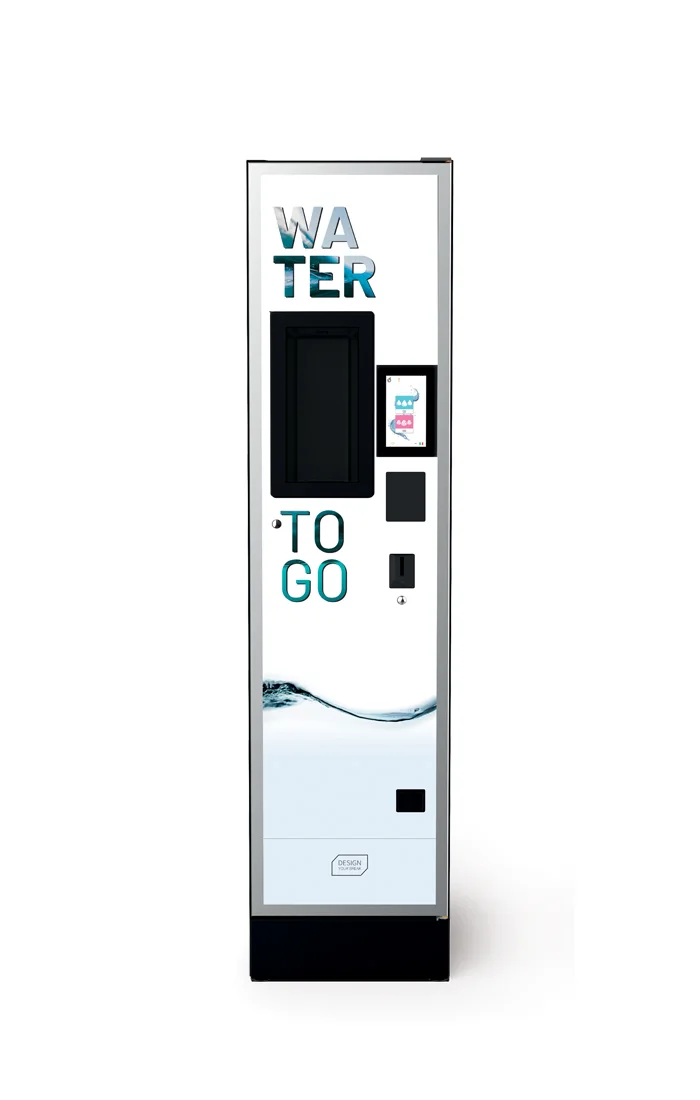
The Bianchi Water to Go is a filtered water dispenser with a direct mains connection. With the 7" touchscreen you can choose chilled still water, chilled sparkling water or room-temperature still water in one touch. Dispensing area for bottles up to 750 ml and 30 cm high. Purchase price: on request.
Specifications
| Type | Filtered water dispenser |
| Interface | 7" touchscreen |
| Water options | Room-temperature still, chilled still, chilled lightly sparkling, chilled sparkling |
| Dispensing bay | Bottles up to 750 ml / 30 cm |
| Payment | All systems via priceholding and EXE/MDB |
| Connection | Direct mains water connection |
| Purchase price | On request |
| Rental | On request |
When should you choose this model?
When is it not the right choice?
If you want coffee from fresh beans — choose a coffee machine. If you do not have a water point — choose a reservoir-based model like the Bianchi Talia.